NEXA

TG DRIVE

Your Telegram, as an unlimited private cloud drive.

Store, organise, preview and stream your files using your own Telegram account. Free for everyone — no ads, no paywall.

Latest version: …
WindowsmacOS · Apple Silicon & IntelLinuxAndroidNo ads
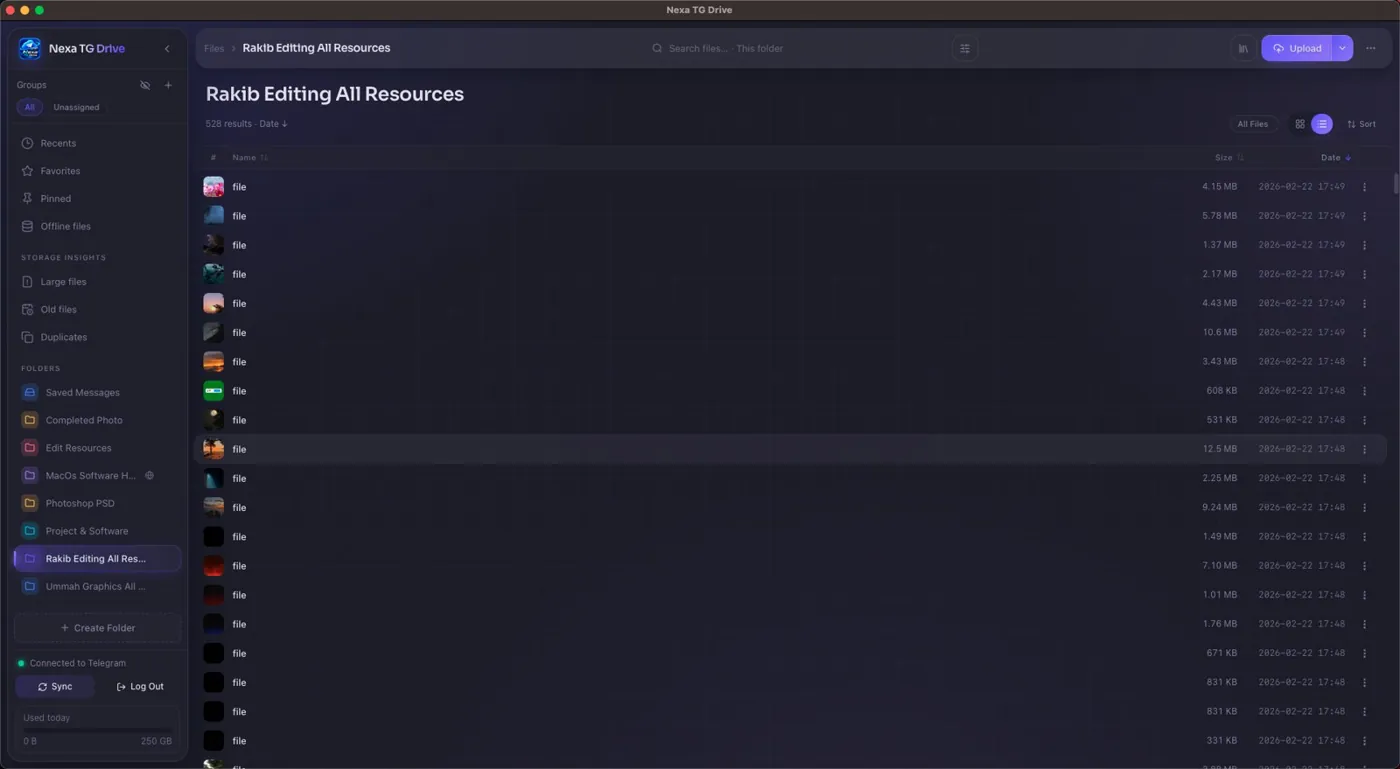
Nexa TG Drive on desktop
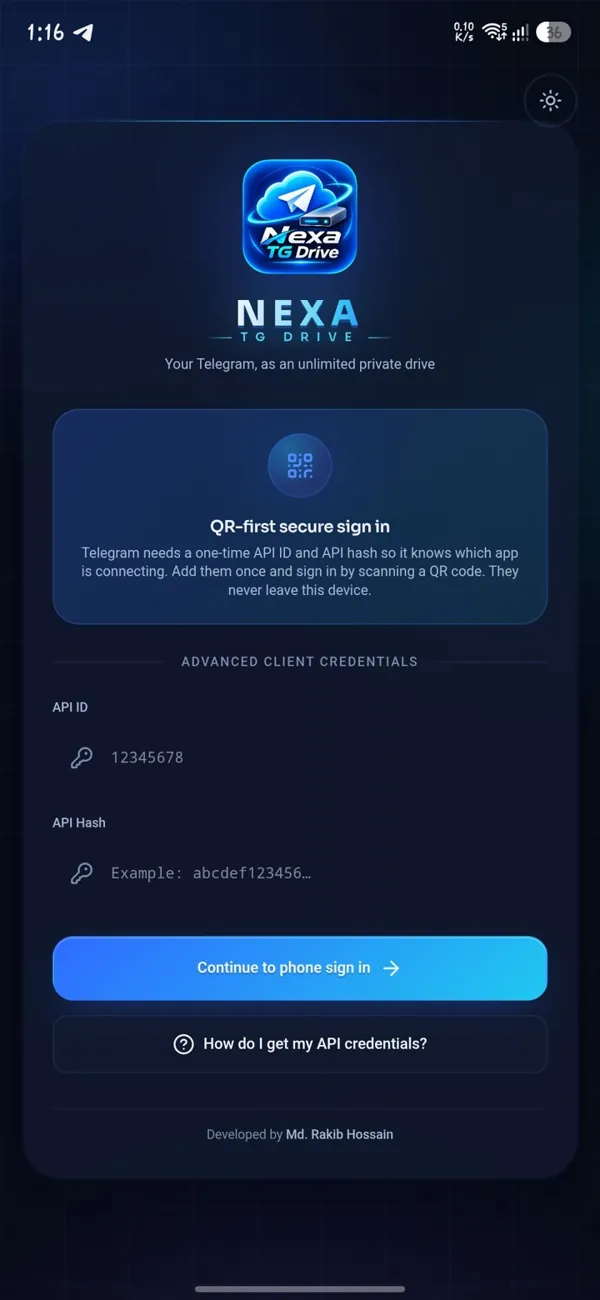
Nexa TG Drive sign-in on Android
Unlimited spaceFiles live in your own Telegram account.
Private by designOptional encryption. Keys never leave your device.
Stream instantlyWatch and listen without a full download.
Free, no adsEvery feature, for everyone. No paywall.

Everything built in

One app for all your files — free, for every user.

Drive & files

Saved Messages is home. Every channel is a folder.

  • Create, rename and delete folders
  • Grid and list views, sorting and filters
  • Drag-and-drop upload, upload from a URL
  • Move files, multi-select actions
  • Download single files or whole folders
  • Fast local search across your drive

Transfers

A queue built to finish what it starts.

  • Survives app restarts
  • Pause, resume, retry and cancel
  • Automatic retry on network drops
  • Concurrency and speed limits
  • Live progress in a transfer panel

Preview & streaming

Open files without waiting for the download.

  • Stream video and audio from Telegram
  • Resume with “Continue watching”
  • Image viewer and PDF viewer
  • Browse ZIP and 7z archives

Thumbnails & formats

See every file at a glance.

  • Instant blurred preview, then a sharp thumbnail
  • Images, videos and the first page of PDFs
  • Photoshop PSD and Illustrator AI previews
  • Coloured format tiles for everything else

Library

Your files, organised beyond folders.

  • Search, Timeline and Slideshow
  • Collections and tags
  • Offline packs to keep files on the device
  • Recently removed — undo a delete
  • Cleanup, Storage and Activity views

Security

Protection that stays on your device.

  • Optional end-to-end file encryption
  • Recovery bundle and recovery drill
  • Auto-lock for the encryption vault
  • Android: fingerprint lock, screen-capture block

Folder Sync

Keep a local folder and a drive folder in step.

  • Backup, download or two-way sync
  • Plan preview before anything changes
  • Watches the folder while the app runs
  • Clear conflict handling

Sharing & connect

Reach your drive from other apps.

  • Share links with optional password
  • Download counter per link
  • Local REST API with your own key
  • WebDAV access (read-only by default)

Network

Works on any connection.

  • SOCKS5 and HTTP proxy, with a test
  • VPN-friendly mode
  • Bandwidth schedule and weekly quota
  • Live connection status and latency

Sign in your way

Your account, your keys.

  • QR code sign-in
  • Phone number with a full country picker
  • Two-step verification (2FA)
  • Stays signed in until you log out

Always up to date

New versions arrive inside the app.

  • Update pop-up when a release is out
  • Desktop: one click to install and restart
  • Android: downloads and opens the installer
  • “What’s New” shows real release notes

Made for Android

A real phone app, not a squeezed desktop.

  • Downloads saved to Download/Nexa TG Drive
  • Send files from the share sheet
  • Transfers keep running in the background
  • Wi-Fi-only, roaming, charging and battery rules

16 built-in themes

Led by Nexa Neon, Nexa Daylight and Nexa Aurora. Dark and light, with a Performance Mode for slower devices.

Every platform

The same drive on your computer and your phone.

FeatureWindowsmacOSLinuxAndroid
Drive, transfers, preview & streaming✓✓✓✓
Thumbnails & format tiles✓✓✓✓
Library, collections, tags✓✓✓✓
File encryption✓✓✓✓
QR & phone sign-in, 2FA✓✓✓✓
In-app updates✓✓✓ AppImage✓
Folder Sync with live watcher✓✓✓—
Share links, REST API, WebDAV✓✓✓✓
Tray icon & desktop notifications✓✓✓—
Fingerprint lock, screen-capture block———✓
Share-sheet upload, background transfers———✓
Apple Silicon & Intel builds—✓——

Get started in 3 steps

Ready in a couple of minutes.

01

Get your keys

Open my.telegram.org → API development tools and create an app to get your API ID and API Hash.

02

Enter them in Nexa

Install Nexa TG Drive, open it and paste your API ID and API Hash. They stay on your device.

03

Sign in

Scan the QR code with Telegram on your phone (Settings → Devices → Link Desktop Device), or sign in with your phone number.

Questions

Short answers to the common ones.

Is it really free?

Yes. No ads, no paywall, no premium tier. Every feature is free for everyone.

Where are my files stored?

In your own Telegram account — in Saved Messages and in private channels the app creates for you. You can still see them in any Telegram app.

Is there a size limit?

Telegram limits each file (2 GB on a standard account, 4 GB with Telegram Premium). There is no limit on the total number of files.

Why do I need an API ID and API Hash?

Telegram asks every app to identify itself. You create them once, for free, at my.telegram.org. They stay on your device.

Which Mac file do I need?

Open the Apple menu → About This Mac. If it says “Chip: Apple M…”, choose Apple Silicon. If it says “Processor: Intel”, choose Intel.

macOS says the app can’t be opened.

Right-click the app in Applications and choose Open, then confirm. You only need to do this once.

Android warns me when I install it.

Apps installed from outside the Play Store are checked by Google Play Protect. Nexa TG Drive is signed with the same key for every release. Tap Install anyway (or allow the scan) to continue.

How do I update?

The app tells you when a new version is out. On desktop, one click installs it and restarts. On Android, the app downloads the update and opens the installer.
Privacy first

Your files are yours.

  • Your files go straight between your device and Telegram. Nexa has no server that stores them.
  • Your API Hash and session stay on your own device.
  • The app sends anonymous usage stats (app version, device type, country — never your IP, account or files). You can turn this off in Settings.
  • This website has no ads, no trackers and no cookies.
  • Never share your API Hash, login code or session with anyone.